Product
A free restaurant website that runs on your menu
A restaurant website tells guests what you serve, when you are open and how to reach you. With Thmenu, every restaurant gets one on menu.thmenu.com: the live menu, an About page with your hours, address, photos and contact details, and — when you switch them on — reservations and ordering. It is built from the same data as your menu, so a change in the panel reaches the site within a minute.
Cafés and restaurants get the same site: the live menu, hours, address and photos, with reservations and ordering when you switch them on.
What the site is made of
The menu page
Categories, dishes, prices, photos, options and allergens, with a banner while holiday mode is on.
The About page
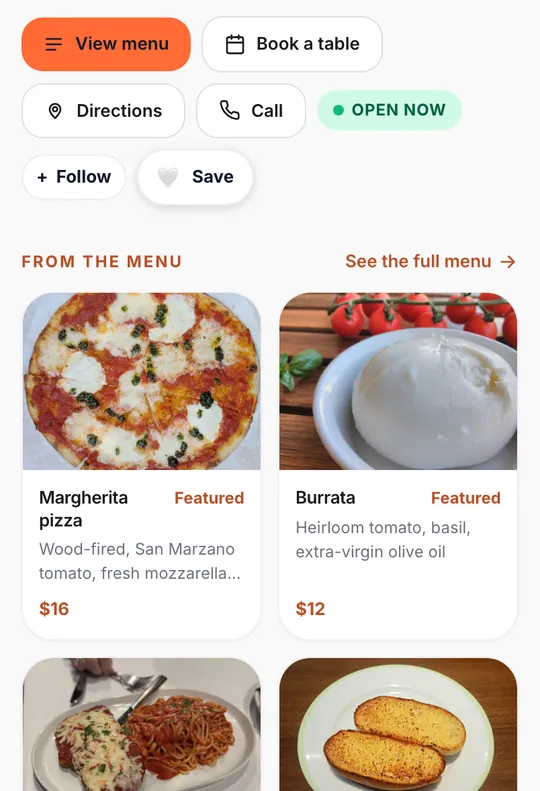
Cover and logo, opening hours with an open-now badge, the address with a link to directions, phone, social links, featured dishes and a photo gallery. A section with no data is left out.
Bookings and orders
Switch on reservations and the site gets a booking page; switch on orders and pickup, and guests can order from it.
In the visitor's language
The site is available in 31 languages: it opens in the language of the visitor's phone, offers a language picker and lays out right-to-left languages right to left.
Built to be found
- 01
One restaurant profile
Hours, address, contact details and photos come from your restaurant profile in the panel; the same profile feeds the menu, the About page and the structured data.
- 02
Structured data
Restaurant pages carry schema.org Restaurant data with the menu, opening hours and address, so search engines can read the facts directly.
- 03
Titles and language links
The menu and About pages carry the restaurant's own title and description, a canonical address and a link to every language version.
- 04
On the guest's home screen
Guests can add the restaurant to their home screen under its own name and logo.
- 05
The Thmenu directory
If you choose to be listed, the restaurant appears in the Thmenu directory and to AI assistants. Listing stays off until you switch it on.
- 06
About text drafted by AI
From the facts in your profile, AI drafts a tagline, an About paragraph and the page's search title and description in your menu's language. Nothing is published until you approve it, and only once the profile is complete.
Good to know
- Free forever. Every feature included.
- When a guest pays you online through Thmenu, the Thmenu platform fee is 1% of that payment. Cash, your own card terminal and any payment that does not go through Thmenu: 0%.
- Your own domain is not available yet
- The site lives on menu.thmenu.com. You can add and verify a domain in the panel, but it cannot be switched on yet; your QR codes and links keep working either way.
- Directions, not an embedded map
- The About page links to directions in Google Maps instead of embedding a map.
- The Thmenu footer stays
- Pages show "Powered by Thmenu" in the footer; there is no setting in the panel to hide it.
Questions and answers
- Can I remove the "Powered by Thmenu" line?
- No. The pages show "Powered by Thmenu" in the footer, and there is no setting to hide it.
- Do I build the website separately from the menu?
- No. The site is built from your menu and restaurant profile, so a change in the panel shows up on the site shortly afterwards.
- Can guests book a table or order from the site?
- Yes. Switch on reservations and the site gets a booking page; switch on orders and pickup, and guests can order from it.
Restaurant website