Product
A self-order kiosk on the tablet you already have
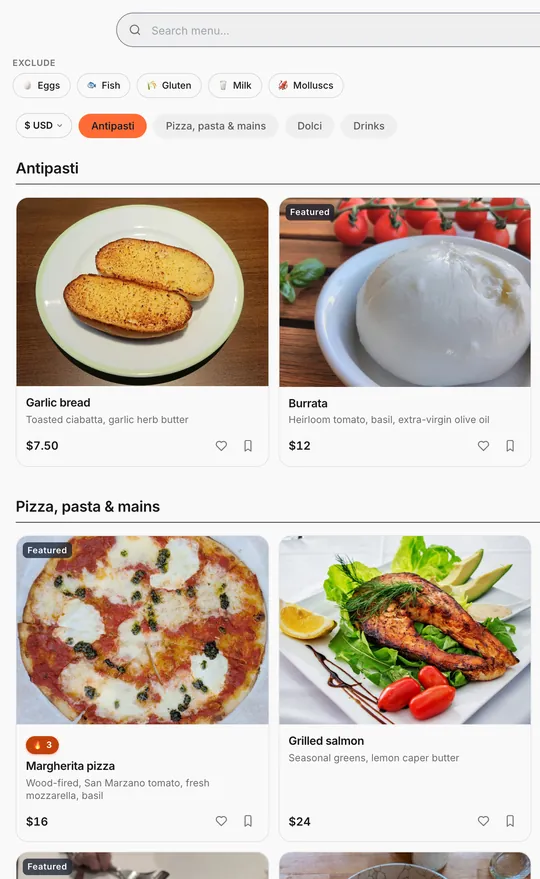
A self-order kiosk lets guests place their own order at the counter. With Thmenu any tablet can be the kiosk: register the device in the panel, open its kiosk link full-screen, and guests order from the same live menu that your QR codes show. Kiosk orders are pickup orders and go to the kitchen like any other order.
A café can let guests order at the counter from the tablet; a restaurant can add one next to table ordering — both send pickup orders to the kitchen.
How it works
Register the tablet
Create a kiosk device in the panel and open its link on the tablet.
Guests order
Full-screen menu and cart. The guest orders as a pickup order with a name and phone number, so Pickup orders must be switched on.
Guests pay
Kiosk orders follow your payment setting for pickup: guests pay at the counter, or by card before the kitchen starts if you take card payments in the app.
Ready for the next guest
After a short idle time the kiosk resets itself to the start screen.
Why a tablet kiosk
- 01
No dedicated hardware
Use a tablet and a stand; there is no kiosk terminal to buy or lease from Thmenu.
- 02
One menu everywhere
Prices and sold-out items on the kiosk are the same as on the QR menu, because it is the same menu.
Good to know
- No card reader on the kiosk
- If you take card payments in the app, the guest pays by card on Stripe's checkout page on the tablet; otherwise they pay at the counter.
- Shown as pickup orders
- Kiosk orders appear on the kitchen screen as pickup orders; they are not labelled as coming from the kiosk.
- Lock the tablet to the kiosk
- Thmenu cannot lock the tablet by itself, so pin the kiosk before guests use it: on Android with app pinning (in the security settings), on an iPad with Guided Access (Settings → Accessibility). To keep several tablets in kiosk mode, use a device-management (MDM) tool.
Questions and answers
- Do I need a kiosk app?
- No. The kiosk runs in the tablet's browser: register the tablet in the panel and open its kiosk link full-screen.
- What hardware do I need?
- A tablet and a stand. Thmenu sells no kiosk terminal and there is no card reader: guests pay at the counter, or by card on Stripe's checkout page if you take card payments in the app.
- Can Thmenu lock the tablet to the kiosk?
- Not by itself. Use app pinning on Android or Guided Access on an iPad, and a device-management (MDM) tool for several tablets.
Self-order kiosk